Today’s blog entry begins with step-by-step instructions for posting your literacy narrative to Blackboard and WordPress.
Posting to Blackboard
Log in to Blackboard and select the course site for ENG 1108.03, then scroll down to Literacy Narrative Submission Site.
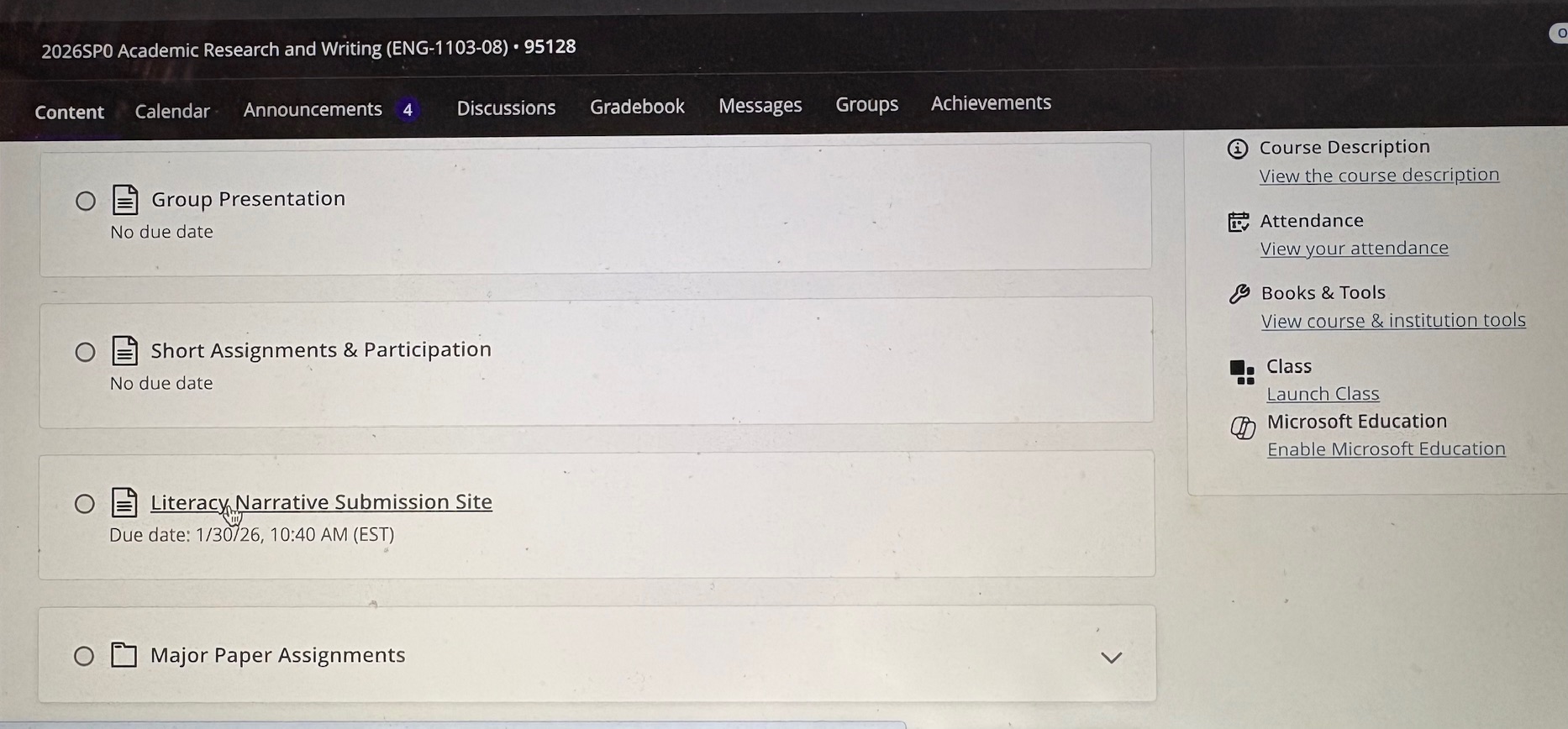
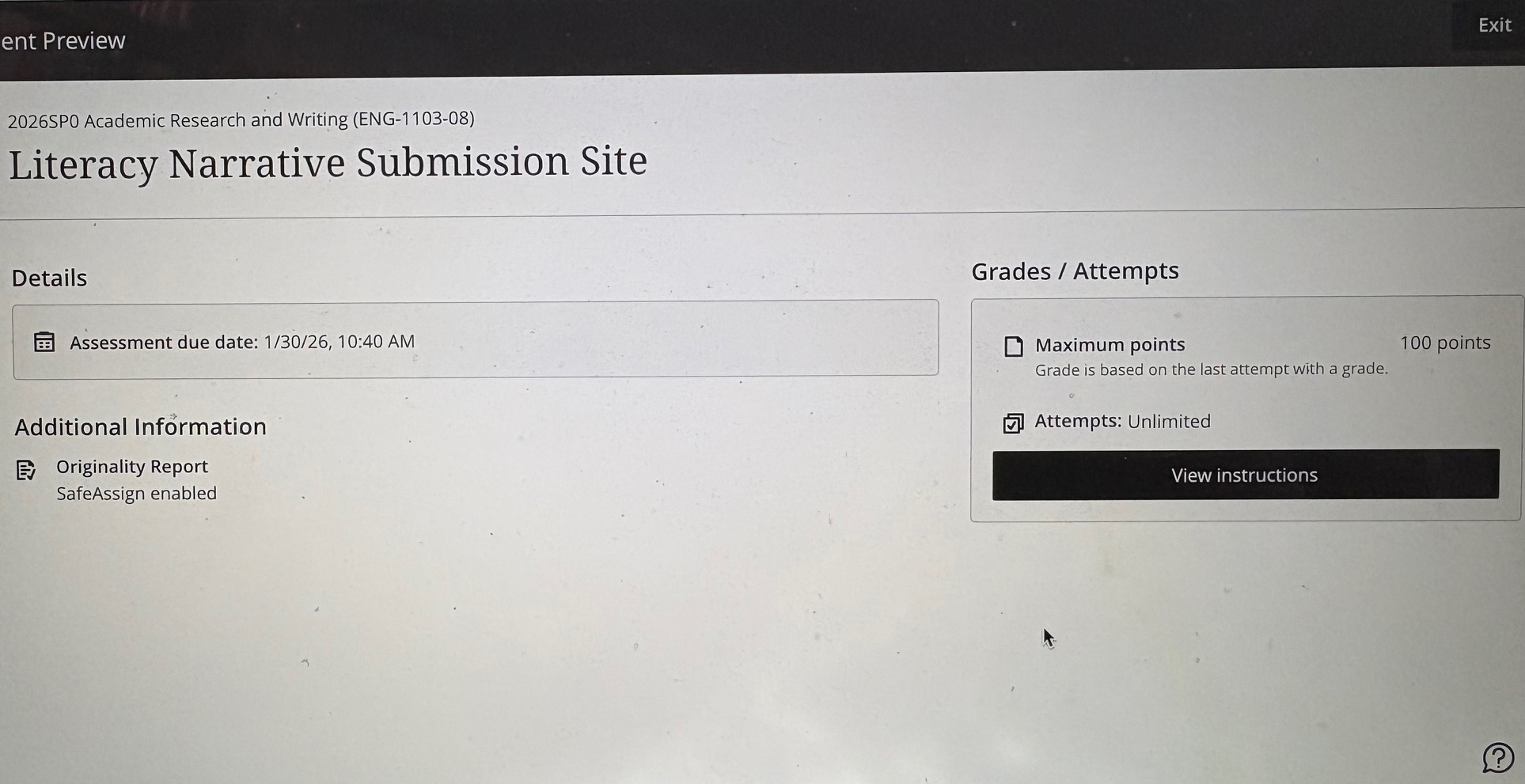
Click Literacy Narrative Submission Site. On the next page, click the black rectangle on the lower right, labeled View instructions.
The next page is where you will submit your literacy narrative file as an MS Word document or PDF. Click on the paperclip icon, and attach your file as you would an email attachment.
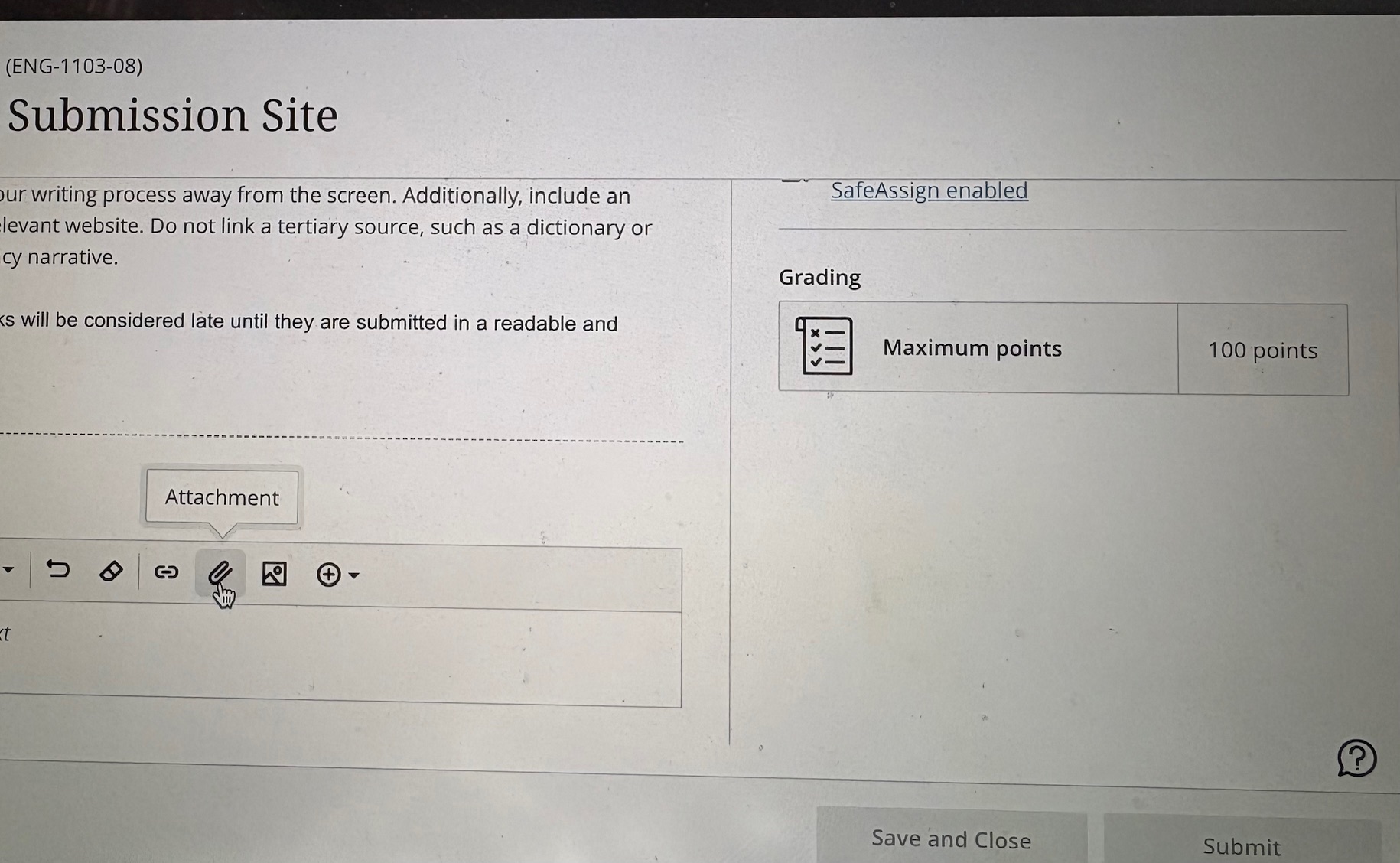
An important posting note: Be sure to click the gray rectangle labeled Submit, on the lower right. If you click Save and Close, your file will be saved to Blackboard, but it will not be submitted and will not be accessible to me. To submit your file, you must click Submit.
If you follow the steps above, voila! You have submitted your literacy narrative to Blackboard.
Posting to WordPress
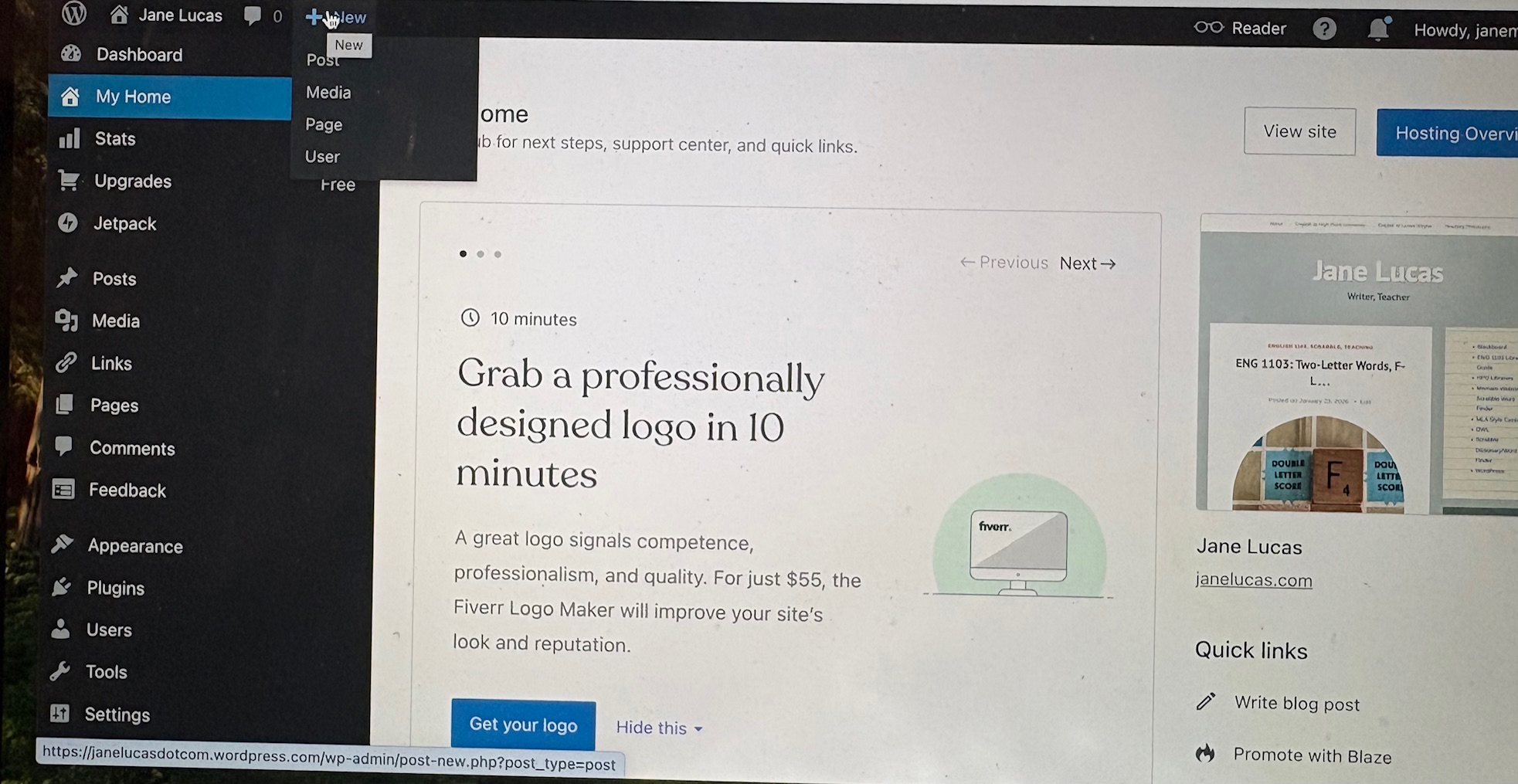
Log in to WordPress, and you will see a home page similar to the one below. Hover over +New in the upper left of the screen, and click Post. You can also add a post by scrolling down the left menu to Posts (beside the pushpin icon) and selecting Add Post.
On the next page, type your literacy narrative title in the Add title line and hit return. Then copy and paste the text of your narrative from your MS Word file into the space below the title. On a PC, copy and paste with control + c, control + v; on a Mac, copy and paste with command + c, command + v.
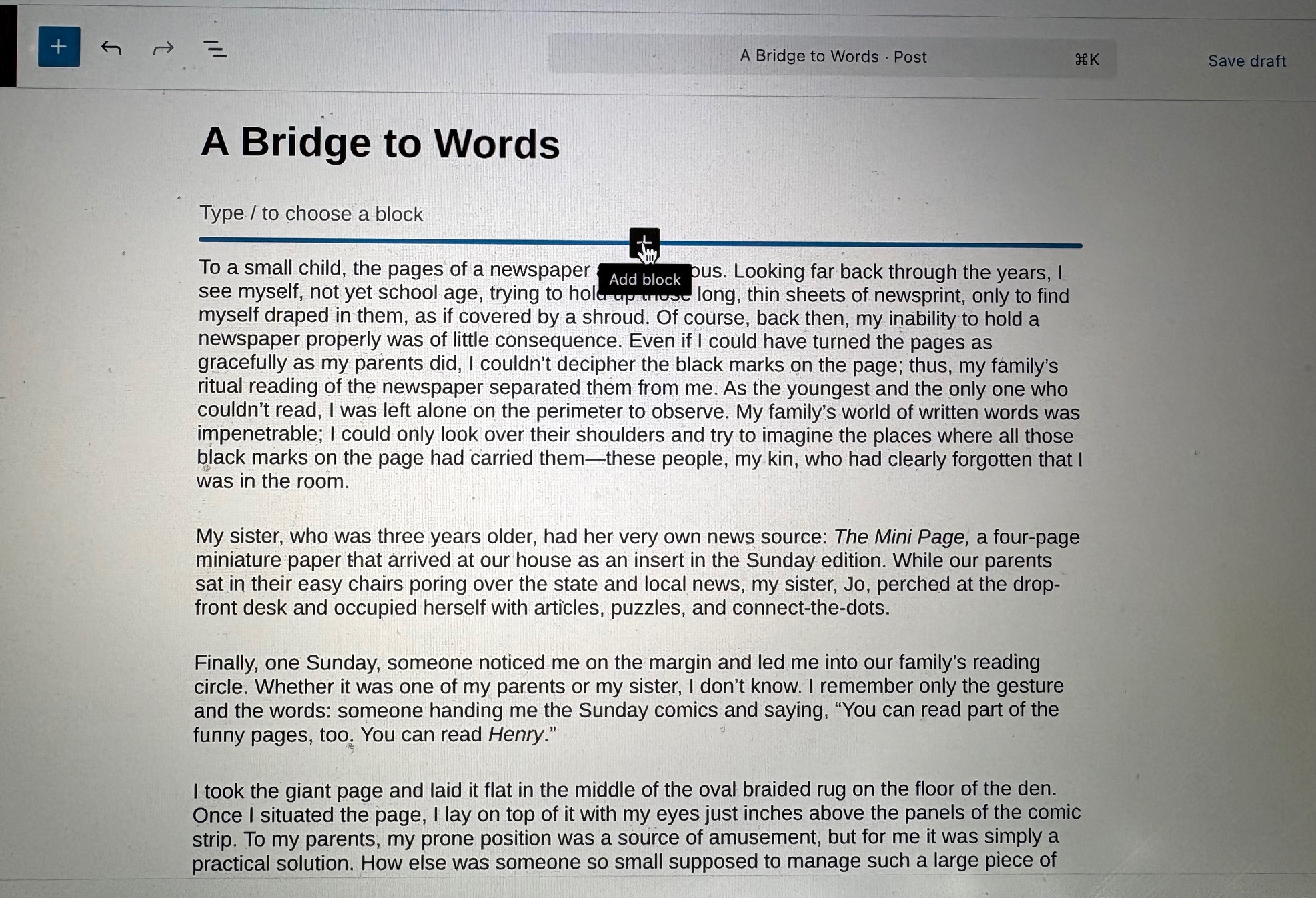
After you have pasted the text, it will appear as single-spaced, block-style paragraphs. Do not indent. Your file posted to Blackboard should follow MLA formatting guidelines, including paragraph indentations, but WordPress posts are easier to manage if you keep the default paragraph settings. To add your required image between the title and the first paragraph, hover below the title, and a + will appear.
Click the +, and a menu will pop up with various options for add-ins. If Image is not among them, click Browse all.
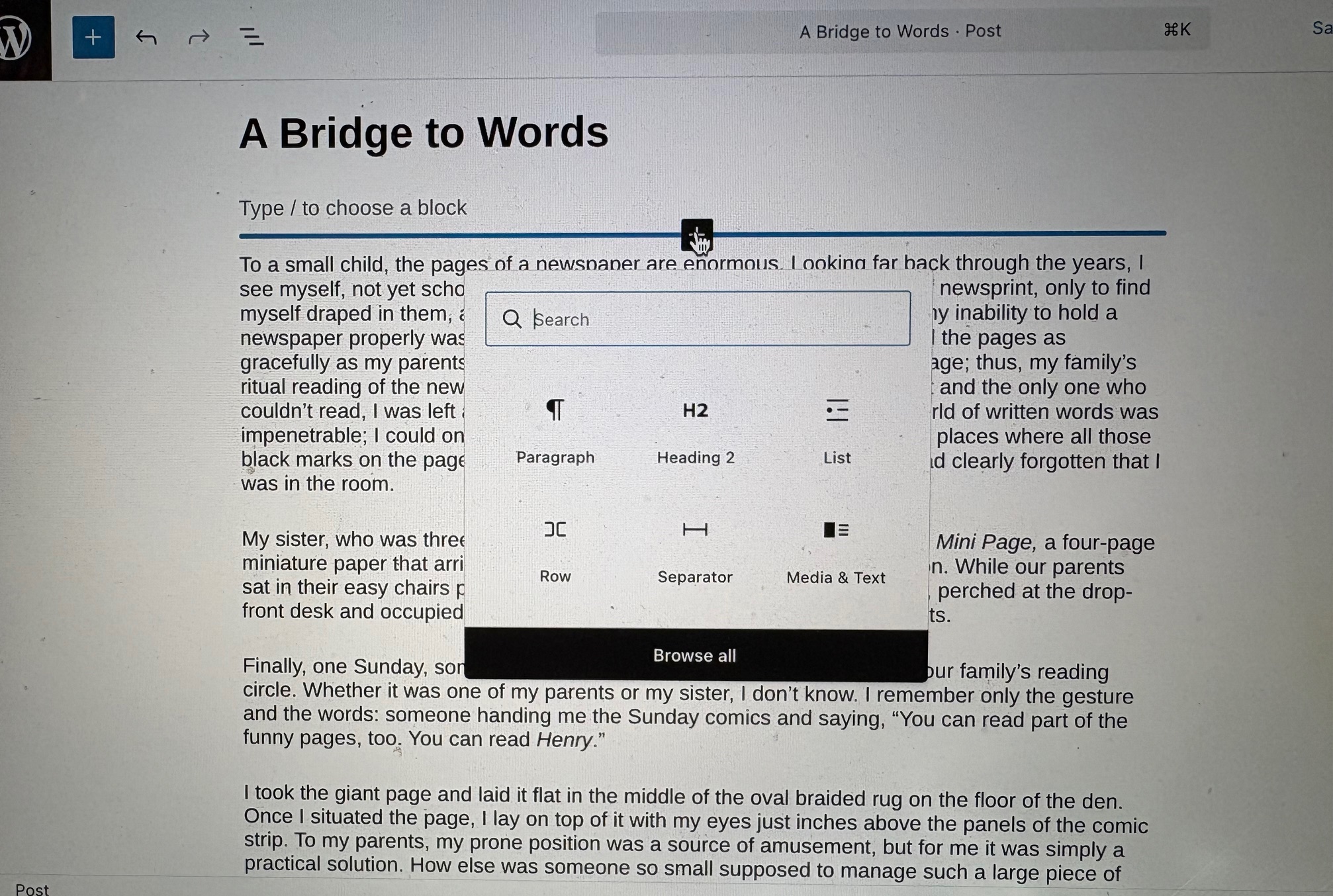
Scroll down, and under the heading Media, click Image.
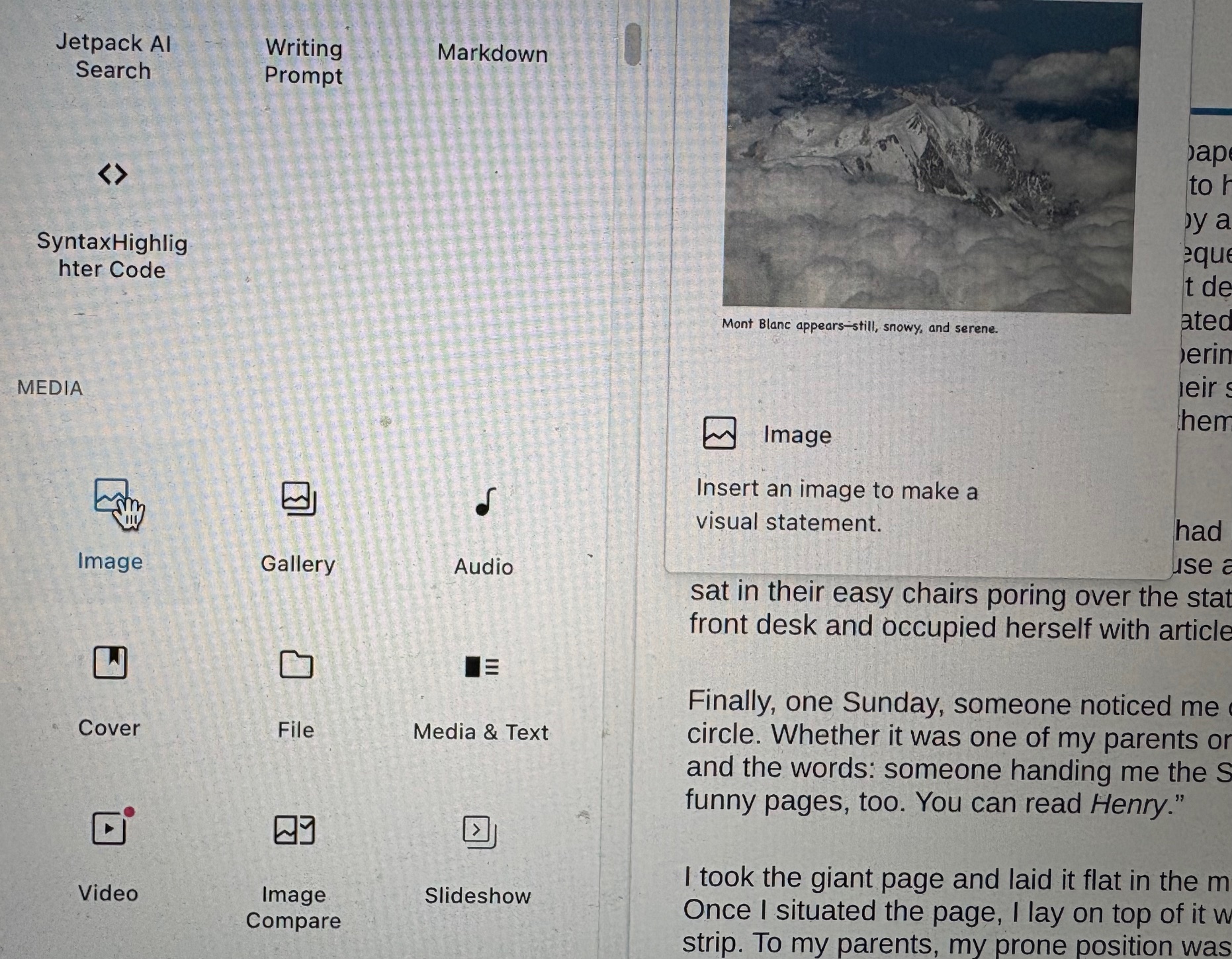
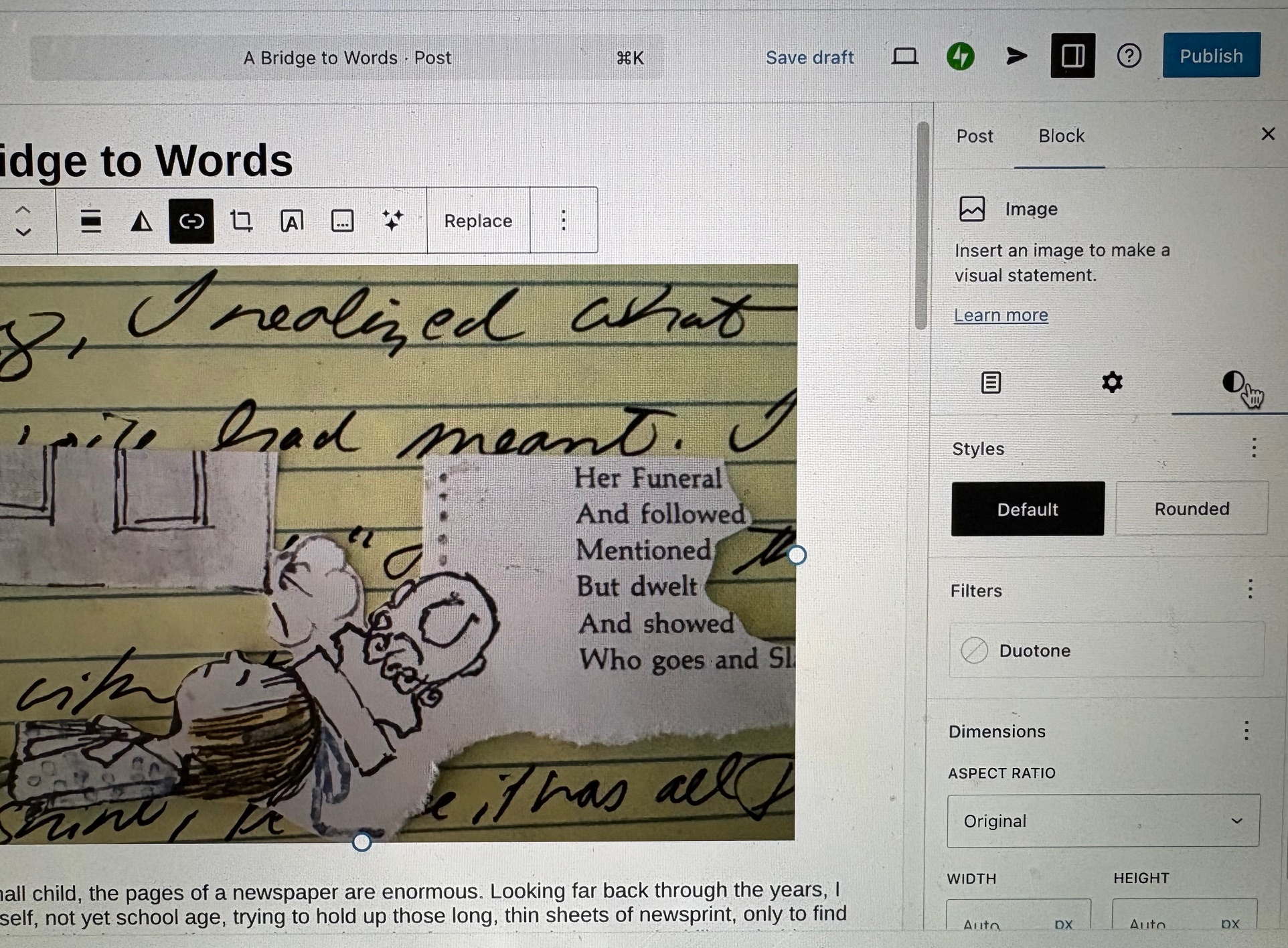
After you select Image, click Upload to add your picture. Do not post an AI-generated image or a stock photo from the Web. The image in your blog post should be a picture you took yourself that documents part of your writing process away from the screen. Note that the blog image you see below, and in Monday’s post, is a collage that includes snippets of my handwritten draft. Your image may be of your writing alone, or it may include other elements, as mine does.
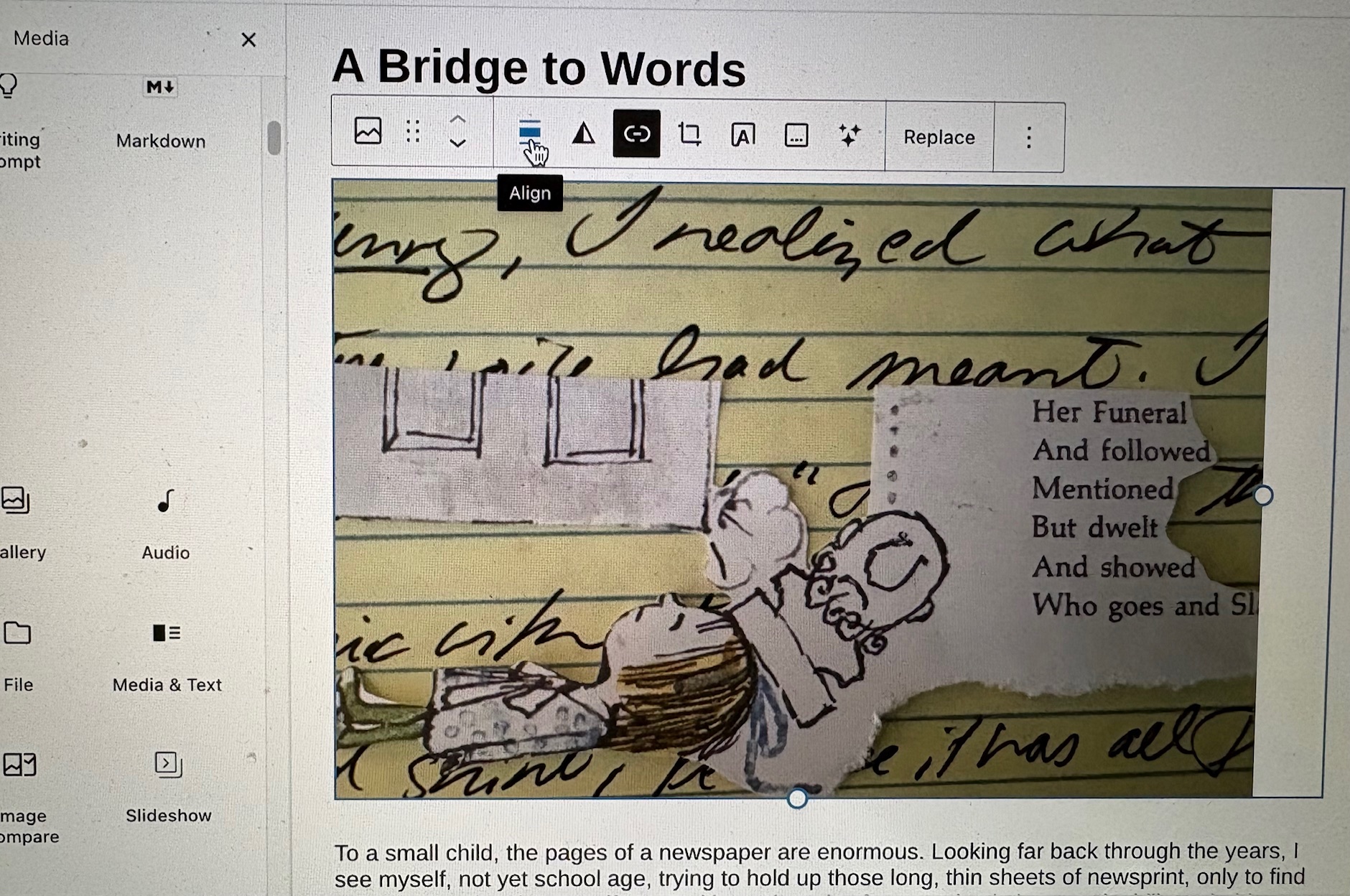
Your image should now be centered on the page. If it isn’t, you can use the Align feature (shown above) to center it. If you would like the picture to be rounded, click on the picture, then click the half-black, half-white circle on the right (shown below). Then select the Rounded option.
Optional: To make the first letter of the first word of your literacy narrative a drop cap (or monogram), place the cursor on the first paragraph, and click Topography in the menu on the right (see the image below).
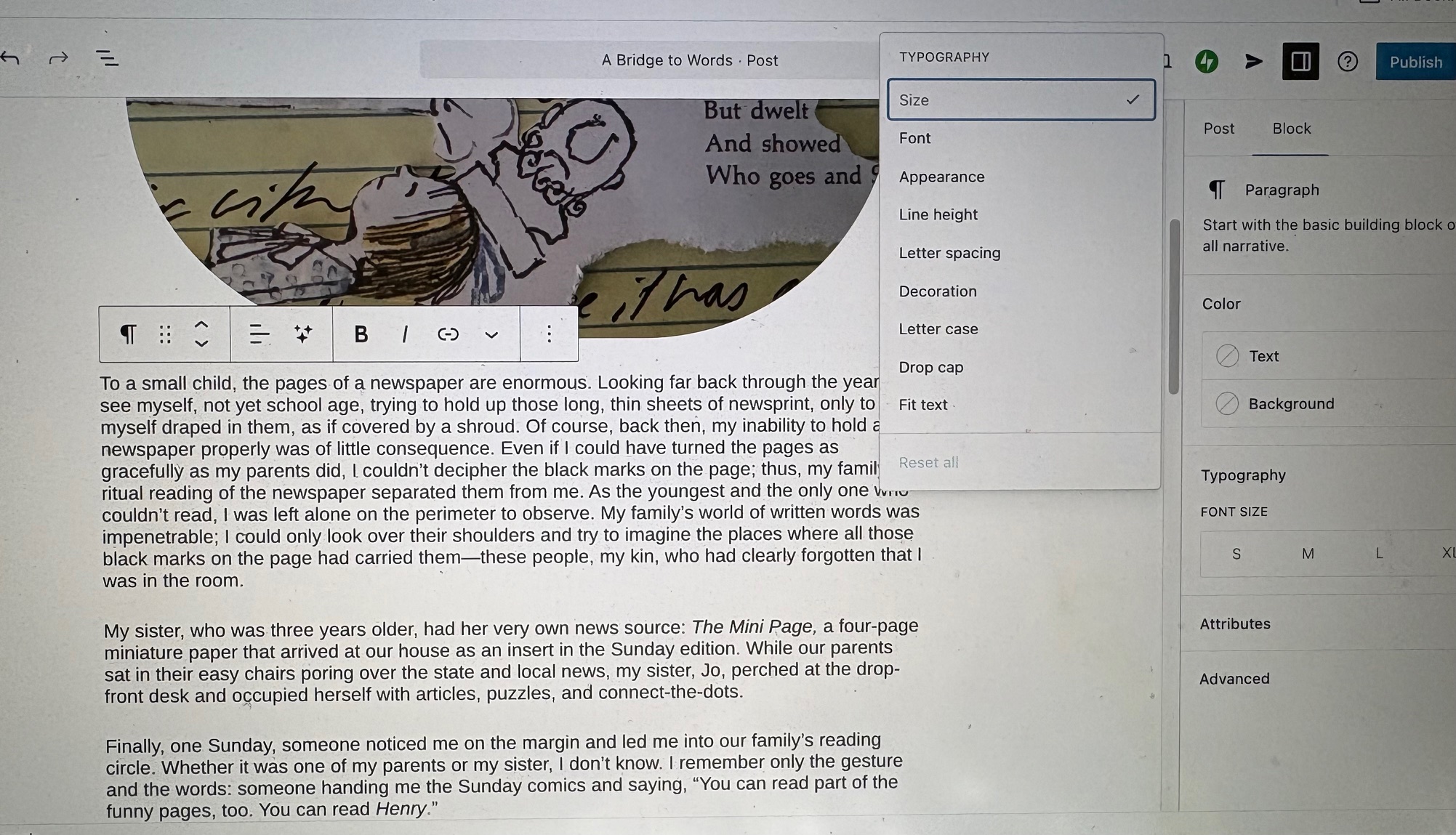
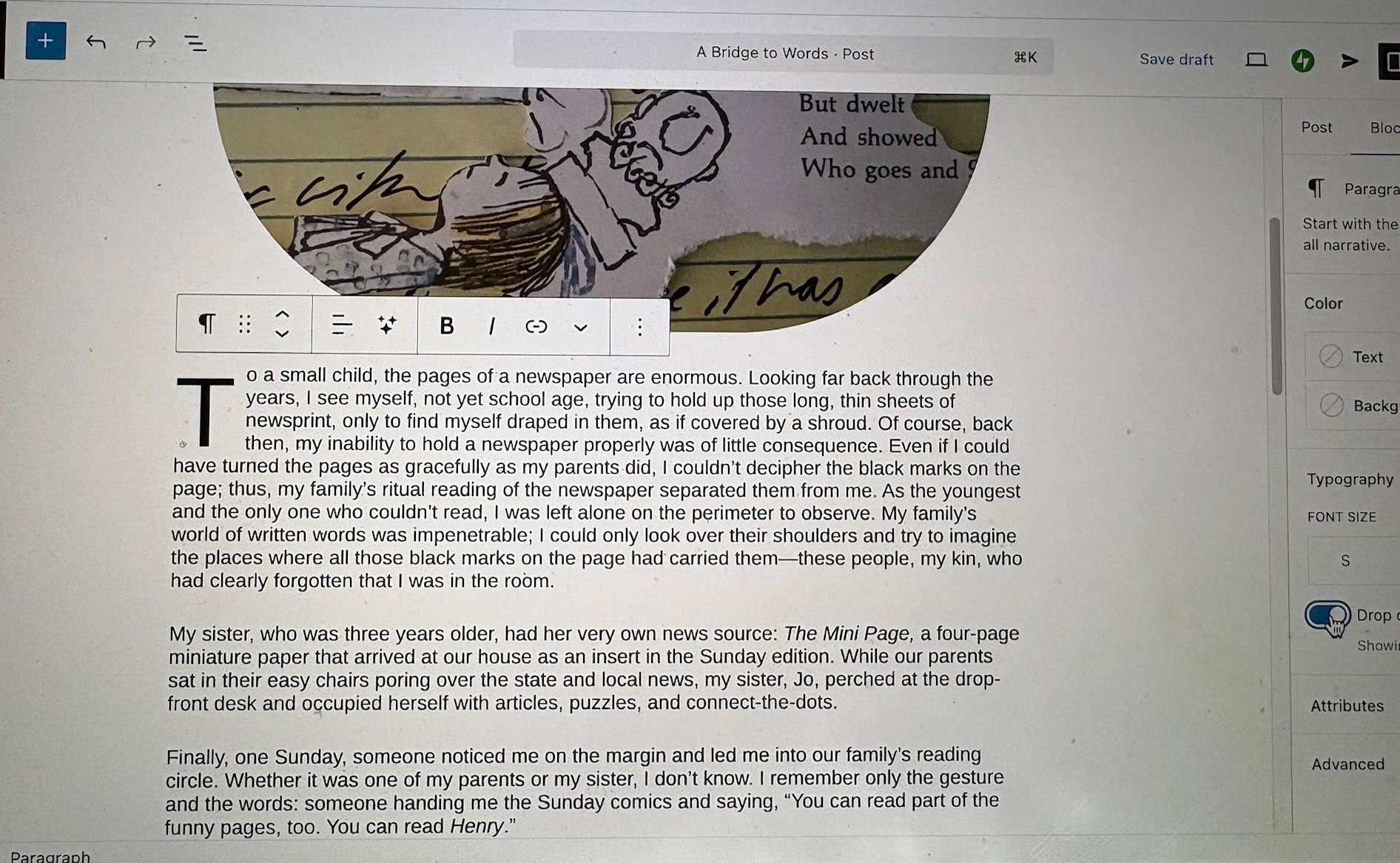
In the pull-down menu, click Drop cap, and a toggle switch will appear (see below). Click the toggle switch, and you will have a drop cap at the beginning of your narrative.
To add the required embedded link, open a new tab and go to the page you want to link to your post. Copy the address and return to the draft of your blog post. Highlight the word or phrase where you want to embed the link, and a link option will appear (see below).
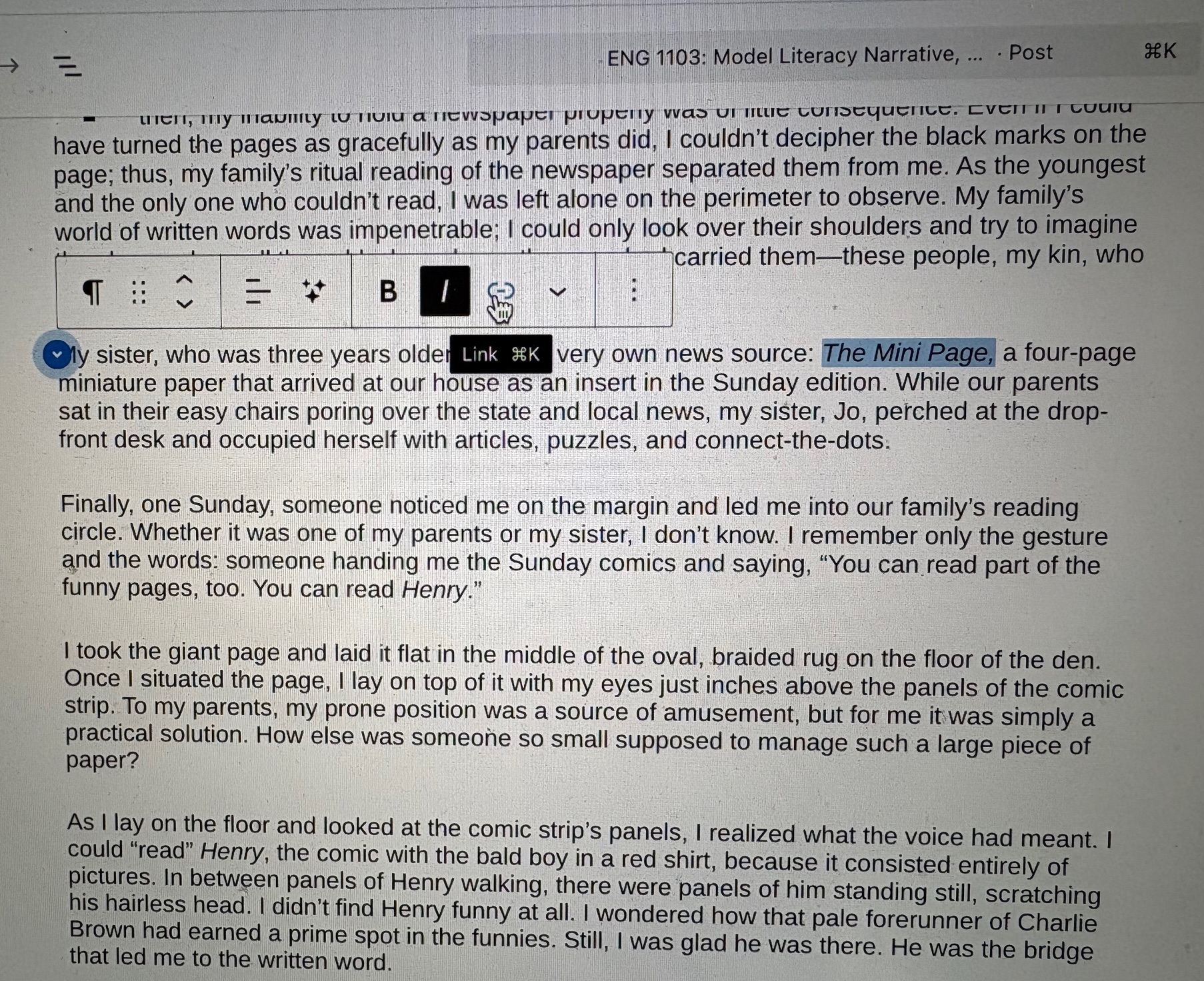
Click the link icon, and a box will appear (see below).
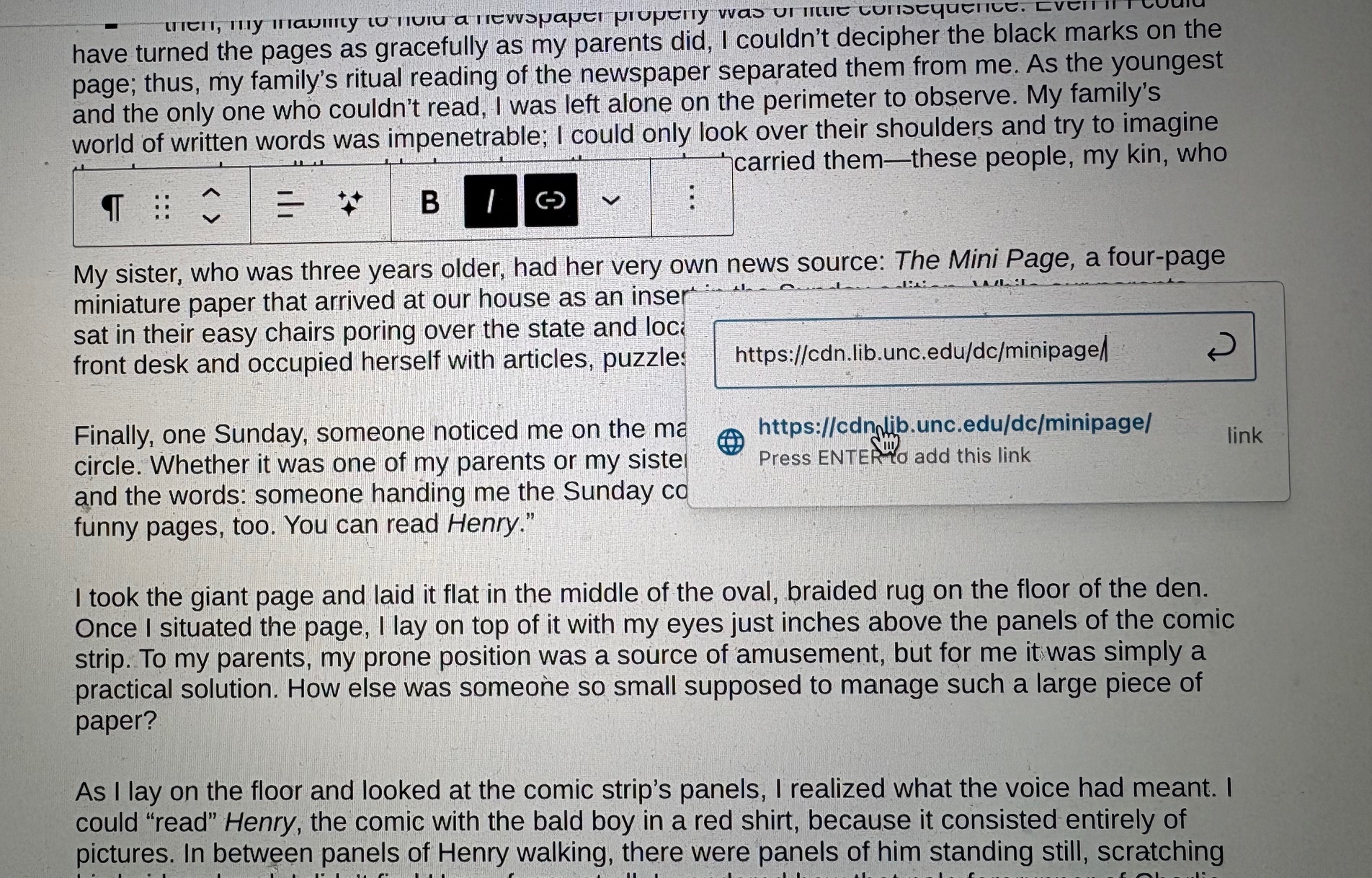
Paste the address into the box, hit enter, or return, and the link will be embedded.
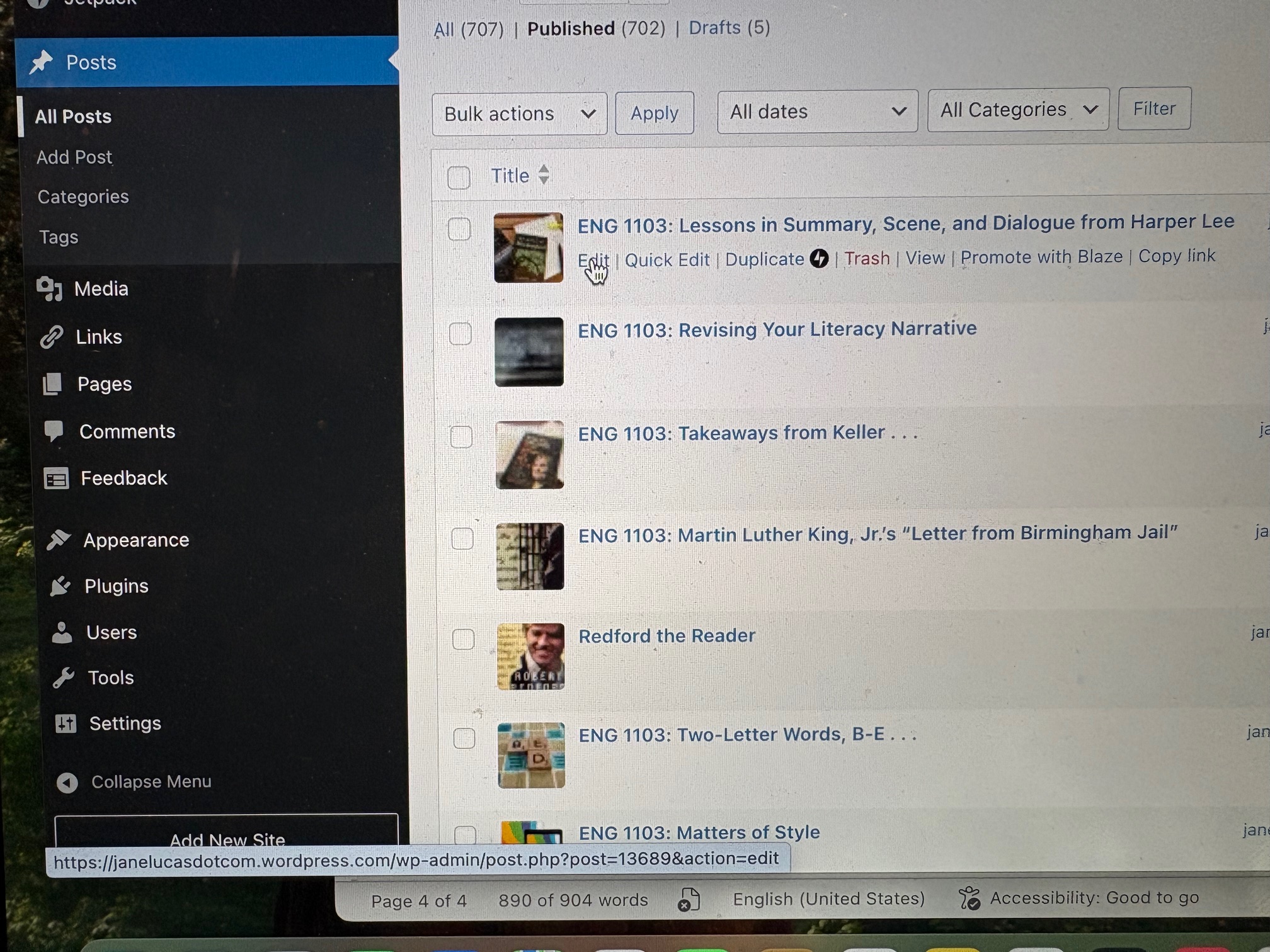
Save your draft (by clicking Save draft in blue in the upper right). Once you have finalized your post, click Publish. After you have published a post, you can still make changes. To do that, simply return to your dashboard, scroll down to Posts, click All Posts, then click edit under the post you want to edit (see below).
Preparing for Your In-Class Reflection
Directions
To comply with the requirements for your reflection assignment, you will need to complete the planning exercise that follows. In class, you will not be permitted to refer to this blog post or any other online resources. You will need to have all the necessary citation information written longhand in your journal.
- Review the pieces of writing we have examined in class, and choose a phrase or sentence from one that is pertinent to your own literacy narrative. The passage you choose may be one that reminded you of your experience with reading, writing, or learning a second language, or it may be a turn of phrase that inspired you to use a similar rhetorical device.
- After you have chosen a passage, compose a signal phrase in your journal to introduce the quotation. (See the examples below.) Many academic writing assignments, including most that follow MLA style, require a signal phrase. A quotation that lacks one is considered a dropped quotation.
- Follow your signal phrase with the quotation, and follow the quote with an MLA-style parenthetical citation. (See the examples below.)
- Below your sentence, write the MLA-style works cited entry for the reading you quoted. (See the examples below.)
Sample Quotations with Signal Phrases and Parenthetical Citations
- David Sedaris’s hyperbolic description of his classmate’s “front teeth the size of tombstones” (168) led me to seek moments when figurative language would enliven my own narrative.
- Helen Keller’s observation that she did “not remember” (par. 8) all the words she learned that day reminded me that gaps in my memory could figure in my story.
- The author’s hyperbolic description of his classmate’s “front teeth the size of tombstones” (Sedaris 168) led me to seek moments when figurative language would enliven my own narrative.
- Her observation that she did “not remember” (Keller, par. 8) all the words she learned that day reminded me that gaps in my memory could figure in my story.
The third and fourth examples include the author’s last name in the parenthetical citation because the author is not named in the sentence. Note that no comma is included before a page number in an MLA parenthetical citation, but a comma does precede the abbreviation for paragraph (par.).
If you quote “Me Talk Pretty One Day,” cite it as if you are quoting a page in a book because your handout is a photographic image of the essay from David Sedaris’s collection Me Talk Pretty One Day. (See the examples above.)
If you quote a line from any class handout other than “Me Talk Pretty One Day,” include the paragraph number in the parenthetical citation. For your works cited entry, use the MLA format for a course handout. (See the examples below.)
Sample Works Cited Entries
- Keller, Helen. “The Day Language Came into My Life” by Helen Keller. ENG 1103.01 (or 08), High Point University, Received 24 August 2026. Course handout.
- Lucas, Jane. Sample Literacy Narrative: “A Bridge to Words.” ENG 1103.01 (or 08), High Point University, Received 4 September 2026. Course handout.
- Lucas, Jane. Sample Literacy Narrative: “Creativity is key [sic].” ENG 1103.01 (or 08), High Point University, Received 28 August 2026. Course handout.
- Lucas, Jane. Sample Literacy Narrative: “The Journey of the Greatest Story.” ENG 1103.01 (or 08), High Point University, Received 31 August 2026. Course handout.
- Lucas, Jane. “Summary, Scene, and Dialogue”: An Excerpt from To Kill a Mockingbird by Harper Lee. ENG 1103.01 (or 08), High Point University, Received 26 August 2026. Course handout.
- Sedaris, David. “Me Talk Pretty One Day.” Me Talk Pretty One Day. Little, Brown, 2000, pp. 166-73.
Your own works cited entry will not be a bullet point but will have a hanging indent (the first line will be flush left and the second line and any additional lines will be indented five spaces or one-half inch.
You will not include a section number in parentheses. You will simply include your section number. See the examples below.
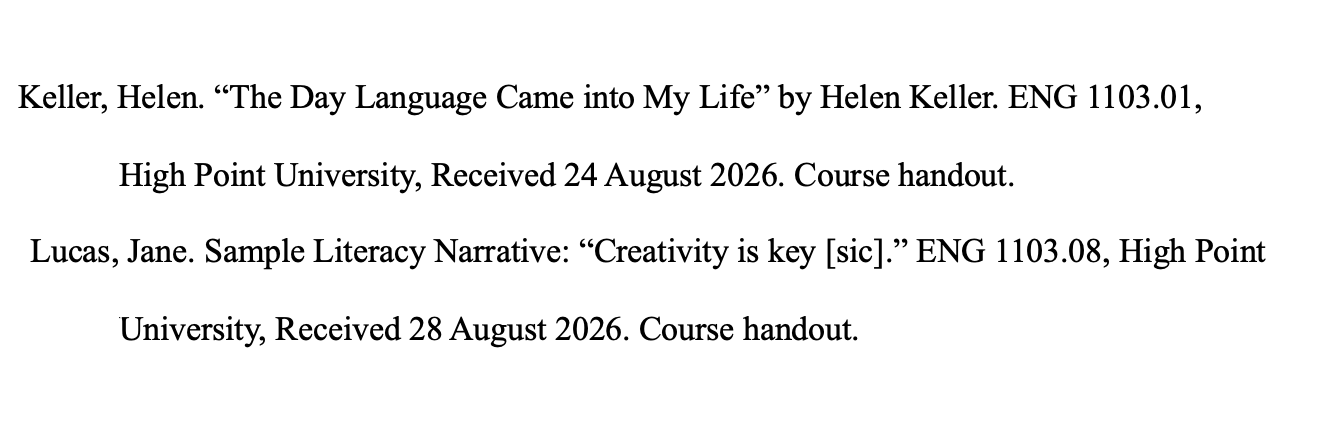
The word sic, Latin for “thus,” appears in brackets above to indicate the preceding error. Key should be capitalized.
Quiz Follow-Up
Rather than listing the answers to the questions on Monday’s quiz, I have followed each question below with a note regarding where to find the answer. By finding the answers yourself, you will learn more than you would from simply reading them in a list.
- What is the term for the kind of narrator the writer employs in “A Bridge to Words”? If you cannot remember the term, describe the nature of the narration. See the September 2 class handout and the September 3 class notes.
- Record one concrete detail you recall from “A Bridge to Words.” (What did you see or hear in your mind as you read the words on the page?) See “A Bridge to Words,” paragraphs one through eight.
- Record a second concrete detail you remember from “A Bridge to Words.” See “A Bridge to Words,” paragraphs one through eight.
Your quiz also included a bonus opportunity. Possible answers for that bonus are found in the class notes for September 4.
Next Up
In class on Wednesday, you will compose your reflective essay focusing on the process of planning, drafting, and revising your literacy narrative. If you are still in the process of completing your essay on Wednesday (since you have until Friday morning’s hard deadline to post it without a late penalty), your reflection will address your work in progress. Follow the guidelines included above to ensure you will be prepared to complete all requirements for your reflection.

